
How to Create a Grand Opening Flyer: Prompt to Print Guide
Launching a new business is an exhilarating journey, but the marketing required to make it a success can often feel overwhelming. Your grand opening flyer isn't just a piece of paper; it's a handshake, an invitation, and a critical first impression. For most small business owners and marketing managers, the traditional path to creating this vital asset is riddled with obstacles: complex software, time-consuming revisions, and the high cost of professional designers. But what if you could bypass all of that and generate a stunning, professional flyer in seconds? With the power of AI flyer design, you can.
This guide answers the crucial question many entrepreneurs ask: How can I create a flyer without design skills? We will walk you through a simple, step-by-step process using an intelligent AI tool, transforming your grand opening vision into a print-ready masterpiece. It's time to create a flyer that not only announces your launch but also captivates your audience and drives them to your door. Get ready to turn your ideas into impactful marketing with an innovative flyer design generator.
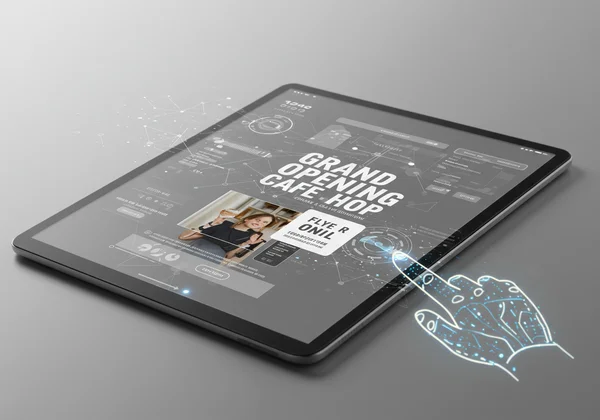
Planning Your Impactful Grand Opening Flyer Design
Before you even think about colors and fonts, a successful flyer begins with a solid strategy. As a marketer, I can't stress this enough: a great design with a weak message is like a beautiful car with no engine. Taking a few moments to plan ensures the AI has the right information to build a flyer that truly works for your business. This initial step is the foundation of an effective business flyer design guide.
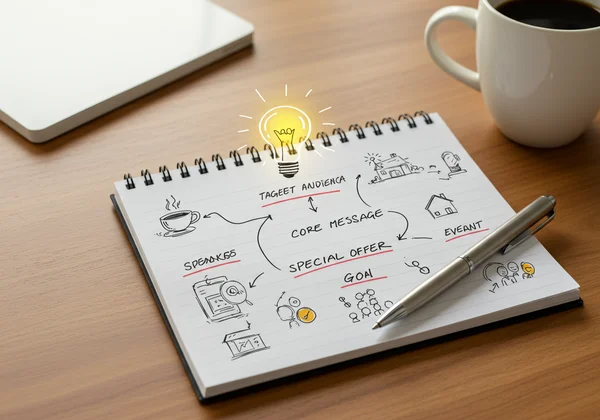
Defining Your Grand Opening's Core Message and Target Audience
First, clarify your objective. What is the single most important thing you want this flyer to achieve? Is it to drive a massive crowd on opening day, build initial brand awareness, or promote a special launch-day offer? Your goal will shape the entire flyer.
Next, think about who you're trying to reach. Are they young professionals, families, or local hobbyists? Understanding your target audience helps you choose the right tone, style, and imagery. Your core message should be a concise, powerful statement that combines your unique selling proposition with a compelling reason to attend. For example, instead of just "Grand Opening," try "Grand Opening: Discover Handcrafted Coffee & Enjoy a Free Pastry on Us!" This message is specific, appealing, and gives a clear incentive.
Crafting Your AI Prompt: The Heart of Your Flyer Design Tutorial
Here's where AI truly shines. Your prompt is a simple set of text instructions that tells the AI exactly what you need. Think of yourself as an art director giving clear, concise directions to a highly skilled designer who works at lightning speed. The quality of your prompt directly influences the quality of the final design, as this is the core of AI flyer design where your ideas are translated into visual instructions.
Writing an Effective AI Prompt: From Idea to Instruction
To create a powerful prompt, you need to translate your marketing plan into descriptive language. Don't be vague. Include key elements that define your event. A great prompt should contain:
- The Event: "Grand Opening Flyer"
- The Business: "for a modern, minimalist coffee shop called 'The Daily Grind'"
- The Vibe/Mood: "welcoming, cozy, and slightly upscale feel"
- Key Information: "Feature the date: October 26th. Location: 123 Main Street. Special Offer: 'Free Pastry with any coffee purchase.'"
- Visual Elements: "Use a color palette of warm browns, cream, and a touch of gold. Include imagery of a steaming latte art coffee cup."
- Call-to-Action: "Include a clear call-to-action: 'Be the First to Experience the Brew!'"
Weak Prompt: Grand opening flyer for a coffee shop.
Effective Prompt: Grand opening flyer for a modern, minimalist coffee shop named 'The Daily Grind.' The design should have a welcoming and cozy feel. Please feature the date October 26th, the address 123 Main Street, and a special offer: 'Free Pastry with any coffee purchase.' Use a color palette of warm browns and cream. The main visual should be a beautiful latte art coffee cup. End with the call-to-action: 'Be the First to Experience the Brew!'
Setting Your Flyer Parameters: Style, Color, and Size
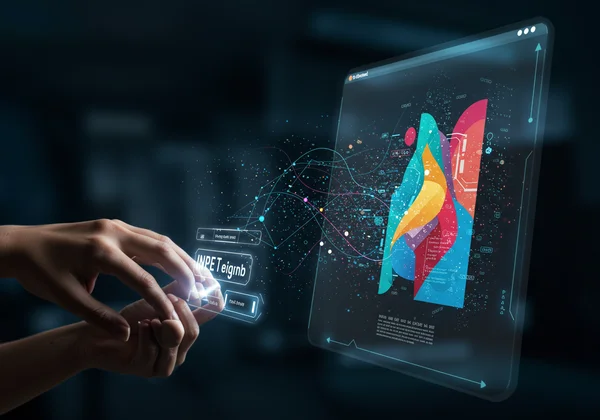
Once your prompt is ready, the online flyer design maker allows you to refine your request with simple parameters. This is where you can ensure the design aligns perfectly with your brand identity.
- Style: Choose a style that matches your business. Options like "Business," "Minimal," or "Creative" give the AI a clear aesthetic direction. For our coffee shop, "Minimal" or "Business" would be a great fit.
- Color: While you can specify colors in the prompt, you can also select a primary color here to guide the AI's palette, ensuring brand consistency.
- Size: Select the standard flyer size you need, such as A4 or US Letter. This ensures your design is perfectly formatted for printing without any extra work.
Generating & Refining Your Professional Grand Opening Flyer
With your strategic plan and a well-crafted prompt, you are moments away from seeing your vision realized. At this stage, you'll witness the incredible speed and creative power of an AI flyer generator, delivering professional results that once took hours or days of work.
Instant Designs: Watch AI Bring Your Vision to Life in Seconds
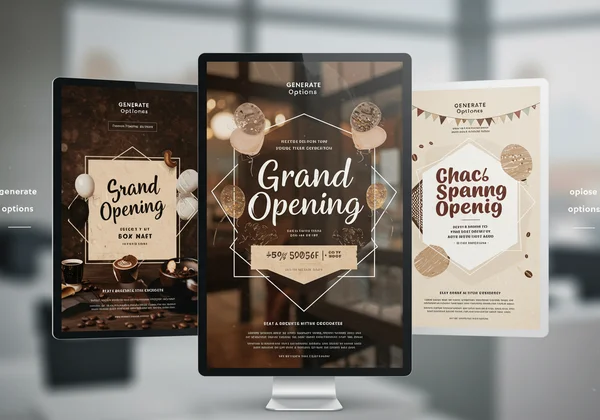
After entering your prompt and setting the parameters, you simply click "Generate." In a matter of seconds, our AI-powered platform will present you with multiple, unique design options based on your instructions. This is the power of one-prompt generation. You don't just get one layout; you get a variety of professional compositions to choose from. Each option will interpret your prompt slightly differently, giving you a range of creative concepts that you may not have considered.
Selecting Your Best Design & Making Quick Adjustments
Review the generated options. Which one best captures the mood of your brand? Which has the clearest visual hierarchy, making the date, offer, and location easy to spot? Look for the design that is most likely to grab your target audience's attention.
If you find a design that's almost perfect but needs a small change, you don't need to start over. Simply tweak your original prompt and generate again. For instance, you might change "a steaming latte art coffee cup" to "an illustration of coffee beans" to see a different visual style. This iterative process is incredibly fast, allowing you to refine your flyer until it's exactly what you envisioned.
From Digital Masterpiece to Grand Opening Marketing Success
You've used AI to create a beautiful, professional flyer design. Now it's time to get it into the hands of your future customers. The final steps are just as seamless, ensuring your digital creation makes a real-world impact.
Downloading Your High-Resolution Grand Opening Flyer
Once you've selected your final design, you can instantly download a high-resolution file. Our tool provides print-ready formats, ensuring that the quality you see on the screen is the quality you'll get from the printer. There are no watermarks or resolution issues to worry about. You receive a professional-grade asset ready for immediate use in your marketing campaign.
Printing & Distributing Your Flyer for Maximum Impact
With your file in hand, consider these final tips for your grand opening marketing push:
- Paper Quality: Choose a paper stock that reflects your brand. A slightly thicker, matte-finish paper often feels more premium and professional than standard glossy paper.
- Printing Services: You can use local print shops for quick turnarounds or online services for potentially lower costs on larger batches.
- Distribution Strategy: Don't just leave a stack on a counter. Distribute your flyers strategically. Post them on community boards, partner with nearby non-competing businesses, or include them in local mailers to reach your ideal customers right where they are.
Your Grand Opening, Beautifully Designed & Ready to Impress
You've just walked through the entire process, from a simple idea to a tangible, professional marketing tool. Specialized skills, expensive software, and hours of effort? Now, you can accomplish it in minutes. This guide has shown you the simplicity and power of AI flyer design to create a grand opening flyer that is effective, affordable, and stress-free.
Now, it's your turn to bring your vision to life. Stop worrying about design and start focusing on what you do best—running your business. Ready to make your grand opening unforgettable? design your own flyer for free today!
Frequently Asked Questions About AI Grand Opening Flyer Design
How can I design my own grand opening flyer without any design skills?
You absolutely can! Our intuitive AI tools are built specifically for users without any design background. The AI handles all the complex design principles like layout, typography, and color theory. All you need to do is provide a clear text description (a prompt) of what you want, and the AI does the heavy lifting, giving you professional results instantly.
What essential information should I include on a grand opening flyer?
Every great grand opening flyer should clearly communicate the "Five Ws": Who you are (your business name/logo), What the event is (Grand Opening), When it's happening (date and time), Where it's located (full address), and Why people should come (special offers, unique products, entertainment, etc.). Don't forget contact information like your website or social media handles.
How quickly can I create a professional grand opening flyer using AI?
The entire process, from writing a prompt to downloading a finished design, can take as little as a few minutes. The AI generates design options in seconds. This incredible speed allows you to react quickly to marketing opportunities and spend more time on other crucial aspects of your business launch. You can create flyer design faster than it takes to drink a cup of coffee.
Are the flyers generated by AI suitable for professional printing?
Yes. The flyers generated by our AI design tool are provided as high-resolution files suitable for both professional printing and digital sharing. The AI designs with standard print dimensions in mind, so you can be confident that your printed materials will look crisp, clear, and professional.